
888Php Maya Deposit: Mobile Wallet Payments, Reference Codes & Instant Fund Clearance
Fund your 888Php account with Maya. Learn step-by-step PayMaya cashier steps, QR Ph transfers, zero merchant deductions, minimum ₱100 limits, and fast clearance.
- Platform: 888Php Online Gaming Portal (serving players across the Philippines)
- Focus Area: Comprehensive walkthrough of topping up your 888Php account with Maya (PayMaya), detailing QR Ph integration, reference tracking, and troubleshooting.
- Target Audience: Filipino players using GCash, Maya, or mobile banking.
- Core Requirement: Players must be at least 21 years old and maintain matching personal identification.
1. Operational Overview & Background
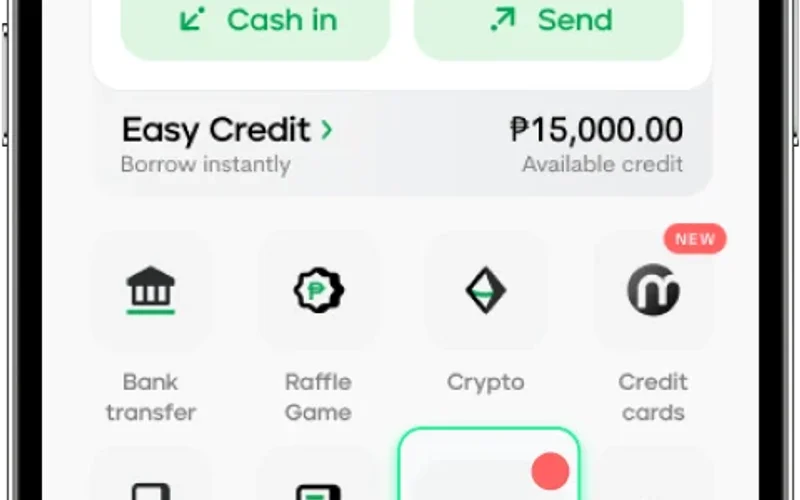
Maya (formerly PayMaya) is one of the premier digital banking and e-wallet platforms in the Philippines, operating under the direct regulatory oversight of the Bangko Sentral ng Pilipinas (BSP). On 888Php, Maya provides a robust, ultra-secure alternative to GCash for funding your gaming wallet.
Using Maya on 888Php combines the speed of mobile e-wallets with the bank-grade encryption of modern financial technology: 1. Open the 888Php Cashier, choose **Maya / PayMaya**, and enter your intended top-up amount. 2. The system generates a standardized **QR Ph** payment code linked directly to your transaction invoice. 3. Open your Maya app, tap **Scan to Pay**, scan or import the QR image, and verify the merchant name displayed on screen. 4. Authorize the transfer using your Maya biometric face/fingerprint authentication or 6-digit password.
Funds transfer instantly across the national interbank switch, appearing in your 888Php playable balance in under a minute. Maya is particularly favored by players who maintain higher wallet balances or prefer digital banking infrastructure with integrated transaction histories.
2. Technical Specifications & Baseline Parameters
| Parameter | Specification Standard | Operational Significance |
|---|---|---|
| Payment Channel | Maya (PayMaya) E-Wallet & Digital Banking | Full compatibility with national QR Ph rails |
| Crediting Speed | Under 60 Seconds Instant Crediting | Real-time automated transaction reconciliation |
| Transaction Platform Fee | Exactly 0% Fee (100% Free) | 888Php absorbs all banking fees |
| Minimum Single Deposit | ₱100.00 per transaction | Accessible entry tier for all players |
| Maximum Single Deposit | ₱50,000.00 per transaction | Flexible limits for casual and VIP gamers |
| Digital Banking Security | Regulated by Bangko Sentral ng Pilipinas (BSP) | Enterprise-grade digital banking protection |
| Verification Match | Registered Maya Name must match 888Php Profile | Prevents fraud and ensures seamless compliance |
| Promotional Eligibility | 100% Valid for Welcome Match & Reload Bonuses | Fully unlocks all deposit-based platform rewards |
3. Step-by-Step Practical Execution Guide
Step 1: Accessing the Verified 888Php Portal
Open your mobile browser or application and inspect your browser address bar to verify that the active connection displays a valid SSL padlock certificate.
Step 2: Navigating to the Dedicated Section
Log into your authenticated account and select the designated category navigation bar matching your target game.
Step 3: Verifying Configuration & Parameters
Carefully check your active stake size, verify the target payment method (such as GCash or Maya), or inspect active wagering requirements.
Step 4: Authorizing the Action
Tap the primary action button to confirm your command, completing SMS one-time PIN authorization if adjusting security settings.
Step 5: Recording Transaction Confirmation & Auditing Balance
Once the system processes your request, capture a confirmation receipt and verify that your wallet balance reflects the updated figures.
4. Comparative Performance Benchmarks
| Parameter | Specification Standard | Operational Significance |
|---|---|---|
| Processing Architecture | BSP-Regulated digital banking rails | Unregulated third-party gateways elsewhere |
| Transaction Success Rate | 99.8% Successful first-time clearance | Common network timeouts on generic sites |
| Merchant Fees | 0% Fee on 888Php | 1.5% merchant surcharges elsewhere |
| Bonus Integration | Instantly triggers eligible reload bonuses | Manual support claiming required elsewhere |
Background: A player from Taguig City preferred using Maya for online transactions and wanted to fund their 888Php account with ₱2,000 for a weekend live baccarat session.
Strategy Adopted: The player selected Maya in the 888Php cashier, imported the generated QR Ph code into the Maya app, and authorized the transfer using biometric fingerprint confirmation.
Outcome: The ₱2,000 balance reflected in the 888Php wallet in 28 seconds, with zero transaction fees deducted, allowing immediate entry into the live dealer lobby.
6. Common Mistakes & Prevention Protocols
Mistake 1: Forgetting to Take a Screenshot of the Dynamic QR Code
Why It Happens: Trying to memorize payment details instead of using QR scanning.
Consequence: Manual bank transfers without automated invoice codes require manual reconciliation.
Prevention Protocol: Always save or scan the dynamic QR Ph image directly inside your Maya app on 888Php.
Mistake 2: Using an Unverified Maya Account with Low Limits
Why It Happens: Attempting to transfer ₱5,000 on an unverified Maya profile with a ₱2,000 wallet cap.
Consequence: Maya system rejects the outgoing transfer.
Prevention Protocol: Complete your Maya identity verification in the Maya app to unlock the standard ₱100,000 monthly limit.
Mistake 3: Depositing from a Business or Company Maya Account
Why It Happens: Using an enterprise Maya account registered under a corporate name.
Consequence: Mismatch with your personal 888Php registered name causes a temporary compliance review.
Prevention Protocol: Always use your personal consumer Maya account matching your registered legal name.
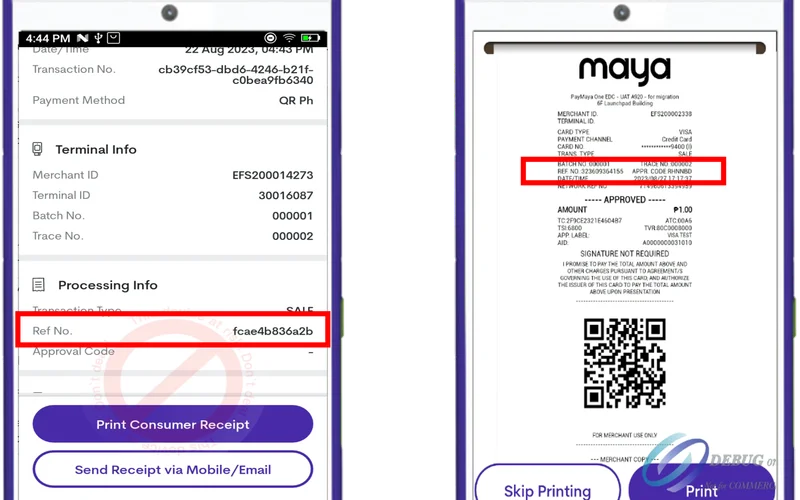
Mistake 4: Failing to Save the Maya Reference Number
Why It Happens: Closing the confirmation screen prematurely.
Consequence: Lack of reference details in the rare event of interbank network maintenance.
Prevention Protocol: Save the Maya transaction receipt displaying the reference number until funds reflect on 888Php.
Frequently Asked Questions
Continue exploring related game guides to expand your knowledge: